June 15, 2026
How to Get Unbanned from TikTok in 2026: Appeals, Timelines, and Next Steps
Got banned on TikTok? Here's how to appeal, unban your account, and how long recovery really takes, plus what to do if your appeal gets rejected.

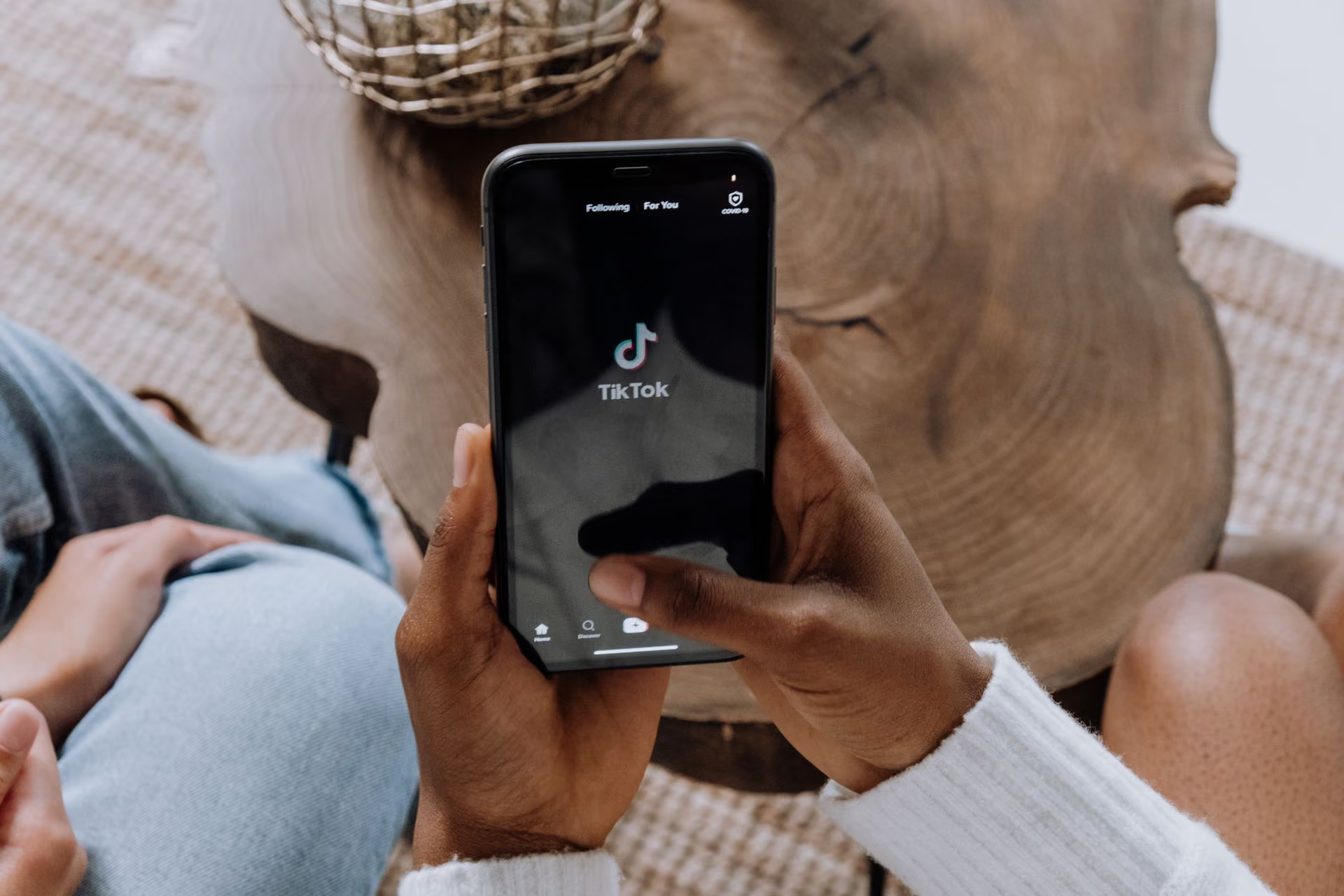
A TikTok ban can stop more than posting, especially when the affected profile is tied to content, commerce, Spark Ads, or paid traffic. If you run spend, sell through the app, or build an audience that feeds your funnel, a sudden lockout cuts off revenue while your creative pipeline keeps moving. The screen says your account is banned, your login bounces, and the clock starts working against you.
Getting unbanned from TikTok is possible in some cases, especially when the ban was mistaken, lower-severity, or supported by clear evidence in the appeal. This guide walks through confirming the ban, filing a clear, evidence-backed appeal through the right TikTok review flow, realistic timelines, and what to do when an appeal fails.
It also covers the part most articles skip: what a ban means for advertisers running spend through the platform, including when TikTok agency ad accounts are part of the setup.
Can You Get a Banned TikTok Account Back?
Short answer: sometimes. TikTok runs a formal appeal system, and mistaken or lower-severity enforcement actions can be reversed when the appeal gives TikTok clear evidence the decision was wrong. Severe violations and repeat-offender bans are a different story.
Knowing which bucket you fall into helps you decide whether to appeal, wait out a restriction, or start planning a compliant rebuild.
First, Confirm You're Actually Banned and Not Just Restricted
A ban prevents normal account use or terminates the account, though TikTok may still allow limited access to submit an appeal or download your data. A restriction limits part of your activity while you keep access. Before you appeal, confirm which one you have, because each needs a different response.
Signs of a full ban: you cannot log in, or you see a banner stating the account is banned or permanently removed. Signs of a restriction: you log in fine but lose access to a feature, like commenting, going LIVE, or posting for a set window.
What many operators call a TikTok shadow ban is usually a reach or recommendation issue, like content becoming ineligible for the For You feed, rather than a formal account ban. Check whether TikTok has flagged specific posts as ineligible for recommendation. If an appeal option appears, use it. If not, audit the content and avoid repeating the trigger.
For an operator, the distinction is money. A feature restriction may be minor for some accounts, but it still disrupts revenue when the restricted feature supports LIVE selling, creator approvals, posting cadence, or campaign content.
A full ban on the account funneling traffic to your offer cuts the top of your funnel, and the response has to match the stakes.
When Appeals Usually Work
Appeals are strongest when the ban looks like a mistake or a lower-severity decision and the account owner can provide clear supporting context. Strong candidates:
- Mistaken automated or human moderation decisions where the content did not violate the cited rule
- First-time minor violations, especially where a warning would fit better than a ban
- Bans tied to a single removed video rather than a pattern
- Identity or age mix-ups that you have documents to clear up
In these cases, a clear appeal with context and proof gives a reviewer a reason to reverse the decision. Because moderation systems make mistakes, legitimate accounts should use TikTok's account ban appeal process with specific context and supporting evidence when the cited violation is inaccurate.
When Recovery Is Unlikely
Some bans rarely come back, and recognizing them early stops you from burning time. Recovery is a long shot when:
- The ban followed a severe violation (violent threats, CSAM, real-world violence), which can lead to permanent removal even without a long strike history
- Your account crossed the strike threshold within a policy area or feature after repeated violations
- The account shows a clear pattern of spam, fake engagement, or automation
- You already appealed once and received a denial on the same grounds
A permanent ban after a denied appeal is difficult to reverse unless you have new evidence or another official review route. Repeated submissions with no new evidence add noise rather than strength, and for ad rejections, TikTok specifically warns that filing multiple appeals for the same issue can delay processing.
When no further route exists, the smarter play is rebuilding on a clean setup, which the later sections cover.
How to Unban a TikTok Account, Step by Step
The recovery path is short, but execution decides the result. A rushed appeal with no evidence gets a fast denial. A clear one with proof gives a reviewer something to act on. Here is a practical recovery flow that keeps the appeal focused and avoids duplicate submissions.
Quick Recovery Process Overview
- Read the ban notice. Open the banner or inbox notification and confirm the violation type and whether the ban is temporary or permanent.
- Submit an in-app appeal. Tap the notification, press Appeal, and explain why the decision was wrong.
- Add proof. Include context, screenshots, or verification that supports your case.
- Wait for the review, then use a backup route. If the in-app appeal is unavailable or unresolved, use Report a Problem to reach support.
Step 1: Check the Ban Notice First
TikTok normally provides a notice or banner when an account is banned, and that notice is your starting point. When TikTok identifies a Community Guidelines violation, the content may be removed, the account may pick up a warning or strike depending on severity and history, and a notice explains the reason. Read it before you do anything else.
The notice shapes your appeal: it shows the violation category, whether the action is temporary or permanent, and whether an Appeal button is attached. Some temporary restrictions lift automatically when the stated window closes, but the notice tells you whether any action is required. A permanent ban needs a direct, evidence-backed response.
If you cannot find the notice, check your inbox inside the app and your system notifications on desktop. The reason listed there is the anchor for everything you write next.
Step 2: Submit an In-App TikTok Appeal
The in-app appeal is the primary route, and it goes straight to TikTok's review system. On mobile, tap the ban notification, press the Appeal button, and follow the prompts. On desktop, open your inbox or system notifications, find the ban notice, and start the appeal from there.
One clear appeal is usually better than several rushed ones. Repeating the same appeal without new evidence rarely strengthens the case, and TikTok specifically warns advertisers that multiple appeals for the same ad issue can delay processing.
Write a Strong Appeal Message
Keep the message specific. Appeal systems are high-volume, so the reviewer needs to understand the issue quickly. Lead with the point.
A strong appeal names the violation TikTok cited, states why the decision was wrong, and points to the exact content or context that backs you up. Skip emotional arguments, but include concise account-history context when it directly supports the appeal, like a first-time issue or a clean prior record. Stick to the facts that make reversal the obvious call.
If a violation did happen, acknowledge it briefly, explain what has changed, and ask for reinstatement.
Provide Proof or Verification
Proof turns an appeal from a claim into a case. Attach whatever supports your position: screenshots of the flagged content, context showing it followed the rules, or documentation for an identity or age dispute.
For age-related bans, TikTok's underage appeal options include verification flows that may ask for a government ID and a selfie, with the outcome sent by email. For non-age-related bans, do not upload identity documents unless TikTok's official appeal flow specifically asks for them.
A quick security note: do not share your password, login code, or verification code with anyone promising a faster unban. Legitimate TikTok appeal flows do not require those details.
Step 3: Use Report a Problem if You Can't Appeal In-App
Sometimes the Appeal button never shows, or the notice disappears before you reach it. TikTok's Report a Problem flow is the backup route into TikTok support.
In most app versions, start from your profile, open the menu, go to Settings and privacy, then Report a problem, then Chat With Us. The exact labels vary by app version and region. Describe the ban, reference the account, and request a manual review. On the support form, choosing the closest account access or security topic gives the request the best chance of landing in the right category.
Treat this as a second door to the same building, not a magic bypass. The same evidence and the same clear explanation still decide the outcome.
How Long Does It Take to Get Unbanned from TikTok?
Honest answer: it varies, and anyone quoting you an exact day count is guessing. How long it takes to get unbanned from TikTok depends on the ban type, the violation category, and the review queue at that moment. Here is what to realistically expect.
Temporary Ban Timelines
Temporary restrictions last for a defined period shown in the notice, and the length varies by violation type, feature, and account history. Read the notice for the specific window rather than relying on a general number.
If your account comes back automatically when the window closes, no appeal may be needed. If you believe the action was wrong, appeal during the window, because an approved appeal can reinstate the content or account and remove any related strike.
What to Expect After a Permanent Ban Appeal
Permanent ban appeals are where timelines get murky. TikTok does not publish a fixed decision window for consumer account appeals, so any specific countdown you have seen did not come from an official page. Treat any user-reported timeline as anecdotal rather than predictive.
Plan for variability. Submit one strong appeal, then wait for TikTok's own notification rather than a number someone quoted you. Refiling repeatedly does not speed the review, and it muddies your case.
For anyone running revenue through the account, the lesson sits underneath the timeline: recovery is not guaranteed, and review timing is controlled by TikTok, not the advertiser. That uncertainty is exactly why serious operators build backups before a ban forces the question.
What To Do If Your TikTok Appeal Fails
A denied appeal feels like the end, but you still have moves. Some are worth making, and one matters more than the rest: knowing when to stop spending energy on a lost account and rebuild instead.
Request a Second Review
A first denial may not be the end. If TikTok still offers another official review route and you have new evidence to add, a second review is worth one shot.
Make the second appeal count. Add what was missing originally, whether that is clearer proof, a detail about the content, or verification you skipped. Resubmitting the same message with no new information gets the same denial. If another official review fails on the same grounds and TikTok gives no further appeal path, shift focus to a compliant rebuild rather than repeating the same appeal.
Start a New Account Safely
If recovery is off the table, a fresh start is the practical route, and how you set it up determines whether it lasts. Do not create a new account to evade an active restriction or repeat the same violating behavior, since TikTok may treat that as another violation.
Do not use the new account to push appeals on the old one or report it. Start clean:
- Use accurate information and follow Community Guidelines from day one
- Avoid copying the exact content or behavior that triggered the original ban
- Avoid mass-uploading repeated, copied, or borderline content, and rebuild with original posts that follow the Community Guidelines
- Steer clear of automation tools and bought engagement
For advertisers, a personal rebuild is only half the picture. If the banned account touched your ad setup, the new profile alone does not restore campaign stability. The advertiser section below covers that gap.
When to Move On
Knowing when to quit a banned account is an operator skill, not a defeat. Past a denied second review on a severe or repeat violation, the likelihood of recovery is low enough that rebuilding becomes the better use of time, and every additional hour spent is margin lost elsewhere.
Move on when the violation was severe, the second appeal failed on the same grounds, or the account sat at the center of a strike pattern. Redirect that energy into a clean rebuild or, for paid traffic, a more stable account structure. Holding onto a dead account costs you the momentum you should be putting into what still works.
Why TikTok Accounts Get Banned
Understanding why bans happen is how you stop the next one. Most bans trace back to a handful of causes, and the strike system decides whether a single slip becomes a removal.
Common TikTok Ban Reasons
TikTok bans accounts for breaking its Community Guidelines, Terms of Service, or commercial policies. The frequent triggers:
- Hate speech, harassment, or bullying
- Sexually explicit content or dangerous acts
- Violence, gore, or violent threats
- Misinformation or misleading claims, including exaggerated product claims
- Spam, fake engagement, bots, and impersonation
- Copyright or music licensing violations
- Undisclosed sponsored content that skips TikTok's branded content tools
Severity sets the response. Low-harm spam carries a higher strike threshold before a ban, while severe violations trigger permanent removal on the first strike.
Repeat Violations and Strike Systems
TikTok's enforcement runs on a category-based strike system. When TikTok identifies a Community Guidelines violation, the content may be removed and the account may receive a warning or strike depending on severity and history. Cross the strike threshold within a single product feature (like Comments or LIVE) or a policy area (like Bullying and Harassment), and the account gets permanently banned.
Thresholds vary by harm. A policy with high potential to hurt the community carries a stricter threshold than low-harm spam, so it takes fewer strikes to trigger a ban in the serious categories. Repeated violations can eventually reach a permanent-ban threshold. TikTok says account strikes expire after 90 days and are no longer counted toward a permanent account ban.
For advertisers, visible strikes are a stability signal, though they sit separately from Ads Manager policy status, ad rejections, and Business Center health. An account carrying live strikes sits closer to the edge than its follower count suggests, and scaling spend through it is a bet on staying inside thresholds you do not fully control.
How to Avoid Future TikTok Bans
Prevention beats recovery every time, since the most reliable unban is the ban that never lands. Account stability comes down to four habits that keep you clear of strikes and out of the appeal queue.
Follow Community Guidelines
The guidelines are the rulebook, and reading them regularly helps you catch policy changes and enforcement trends before they affect your content or ads. TikTok updates enforcement and policy guidance over time, so advertisers and creators should review rules around sensitive areas such as AI-generated media, LIVE content, product claims, and branded content.
A working filter: if you have to ask whether content crosses a line, it probably does. Borderline posts draw strikes that pile up quietly until one tips the threshold. When a video gets flagged, review the reason and appeal if TikTok made a mistake. Do not assume deleting the content removes or prevents a strike.
Avoid Spam and Misleading Activity
Spam signals are among the fastest ways to a ban, and they stack quietly. Mass posting, repetitive comments, fake engagement, and bought followers all read as inauthentic to TikTok's systems.
Misleading claims are a second trap, sharper for advertisers. Exaggerated product claims, false promises, and bait content draw enforcement under both Community Guidelines and commercial policies. Authentic behavior and accurate claims keep you off the radar that flags accounts for review.
Protect Your Account Security
A hacked account behaves in ways that get it banned, often before you notice. Lock it down with a strong, unique password and two-factor authentication.
Watch for the scams aimed at banned and active users alike: messages promising fast unbans in exchange for your login details. Hand those over, and you lose the account to someone who will run it straight into a ban. No legitimate TikTok process asks for your password or verification code.
Stay Compliant With Ads
Advertisers carry a second rulebook on top of the standard guidelines. TikTok advertising policy resources cover areas such as branded content, advertiser account rules, product claims, and ad review expectations.
Compliance friction is where a lot of ad accounts quietly stall. A rejected ad or ad group delays delivery. Repeated or serious account-level issues can lead to ad account suspension, which restricts campaign activity and may need a separate appeal. Building approval discipline into your creative process protects spend before it protects your standing.
Once compliant creative is live, TikTok ad CTR benchmarks can help you judge whether replacement ads are actually recovering performance.
Banned as an Advertiser? Start Here
A ban hits differently when money is moving through the account. For advertisers, the question is bigger than getting a profile back. It is reducing downtime, preserving clean backups, and knowing which campaign assets keep running safely while the affected account or asset is under review. Personal recovery advice only takes you so far, since the ad side runs on its own rules.
Personal Ban vs Ad Account Suspension: What's Different
A personal account ban and an ad account suspension are separate events with separate fixes. A personal ban locks you out of posting and your profile. An ad account suspension stops ads under that ad account and can restrict Ads Manager features, even if the personal TikTok profile remains active.
The fixes diverge. Personal bans go through the in-app appeal flow covered above. Ad account issues route through TikTok Ads Manager, Business Center, and Customer Support. TikTok's suspended ad account guidance states that an appeal filed more than 180 days after suspension will not be reviewed. Treating one like the other wastes days appealing in the wrong place.
How Creator Account Bans Affect Ad Campaigns
A banned creator account does not always stay contained. If that profile is linked to your Business Center, runs Spark Ads, or authorizes creative, the ban ripples into live campaigns.
The practical hit: Spark Ads tied to an unavailable post or affected creator identity can stop serving, and authorizations may need replacing depending on how the creative was sourced. Budget then has to reallocate to replacement creatives or ad groups. If costs shift during that reset, monitoring TikTok CPM helps show whether the new setup is buying traffic efficiently. For a campaign mid-flight, that means sudden delivery gaps while you scramble to swap assets. The lost momentum often costs more than the banned account itself.
Agency Ad Accounts vs Standard Accounts
Many self-serve accounts rely on standard support queues, while managed or partner-supported setups may have extra escalation paths. Agency ad accounts often provide managed access, provider support, and escalation routes that self-serve accounts do not, depending on the provider and platform relationship.
The difference shows up under pressure. When a standard account stalls, you wait. When an agency account hits friction, the provider may help diagnose the issue, escalate through available support paths, and move compliant campaigns to approved backup infrastructure where appropriate.
For advertisers scaling real budgets, that support gap can decide whether you have a clear recovery path or lose several days waiting on a standard queue.
A TikTok agency ad account is a partner-managed setup built for advertisers who need more flexibility, stronger support, and fewer scaling bottlenecks than standard accounts allow.
Building Ad Account Stability for Long-Term Scaling
Stability is infrastructure, not luck. Operators who scale without constant interruptions treat account structure as part of the performance system, not as admin work.
That structure usually includes backup accounts ready before they are needed, a Business Center setup that separates permissions, payment exposure, pixels, creator identities, and ad accounts so one issue is less likely to disrupt every asset at once, and support access that does not vanish after hours.
A single account carrying all your spend becomes a single point of failure, where one suspension or asset issue can pause the entire operation. Spreading risk across a stable structure can reduce the chance that one account issue pauses the entire operation.
For advertisers who keep colliding with bans, weak support, and spend interruptions, stronger account infrastructure is less a preference than a practical necessity. A compliant agency setup with approved backup accounts, clear replacement rules, and support access makes account issues easier to manage, though every campaign still has to follow platform rules and pass review.
AdRevival positions itself around agency ad accounts, compliance guidance, flexible top-ups, replacement infrastructure, and support for advertisers that need more stable scaling operations
Key Takeaways for Recovering Your TikTok Account
Getting your TikTok account unbanned comes down to reading the situation right and responding with precision. The essentials:
- Confirm whether you are banned, restricted, or shadowbanned before acting, since each needs a different response
- Read the ban notice, then submit one clear, evidence-backed in-app appeal rather than several rushed ones
- Use Report a Problem or the closest available TikTok support route as a backup when the in-app appeal is unavailable
- Expect variable timelines, especially on permanent bans, where TikTok publishes no fixed window
- Know when to stop appealing and rebuild on a clean setup
- For advertisers, separate personal recovery from ad account recovery, and build stability before a ban forces the issue
Some banned accounts are recoverable, especially when the appeal shows that the enforcement decision was mistaken or missing context, but recovery is not guaranteed. The operators who stay ahead treat prevention and account structure as part of the system, so a single ban is far less likely to take the whole operation down with it.
TikTok Unban FAQs
How Do I Reach a Real Person at TikTok About My Ban?
Use Report a Problem under Settings and Privacy, then tap Chat With Us. Selecting the closest account access or security topic gives your request the best chance of being categorized correctly.
Can I Make a New TikTok Account After Being Banned?
Yes, but set it up clean. Do not use it to evade the old restriction or report the old account, since TikTok may treat that as another violation.
Will TikTok Tell Me Why My Account Was Banned?
Usually, yes. TikTok says banned accounts receive a banner notification, and violation notices can appear in account updates or system notifications. Read it before filing any appeal.
Does Deleting the App Remove a Ban?
No. The ban lives on your account at the server level, not on the app. Deleting and reinstalling changes nothing. Use the appeal flow instead.
Does a TikTok Ban Affect My Ad Account?
It can. A personal ban tied to Business Center, Spark Ads, or creator identities may disrupt campaigns that depend on those assets. Ad account suspensions follow a separate review.
Explore more blog posts



Join the AdRevival family.
Conquer with us
Joining AdRevival will get you exclusive access to a community that collectively spends $20m/month on ads.
Get access to exclusive meetup events around the world. from Vegas to Bangkok.